One Full Name field
Replace separate First Name and Last Name inputs with a single Full Name field.
WORDPRESS SUPPORT HERO · WOOCOMMERCE PLUGINS
Clean Checkout for WooCommerce
Keep checkout focused. Use a single Full Name field, hide supported fields you don’t need, and collect the extra details that help you fulfil each order.
One website. One-time payment. One year of new versions and product support.
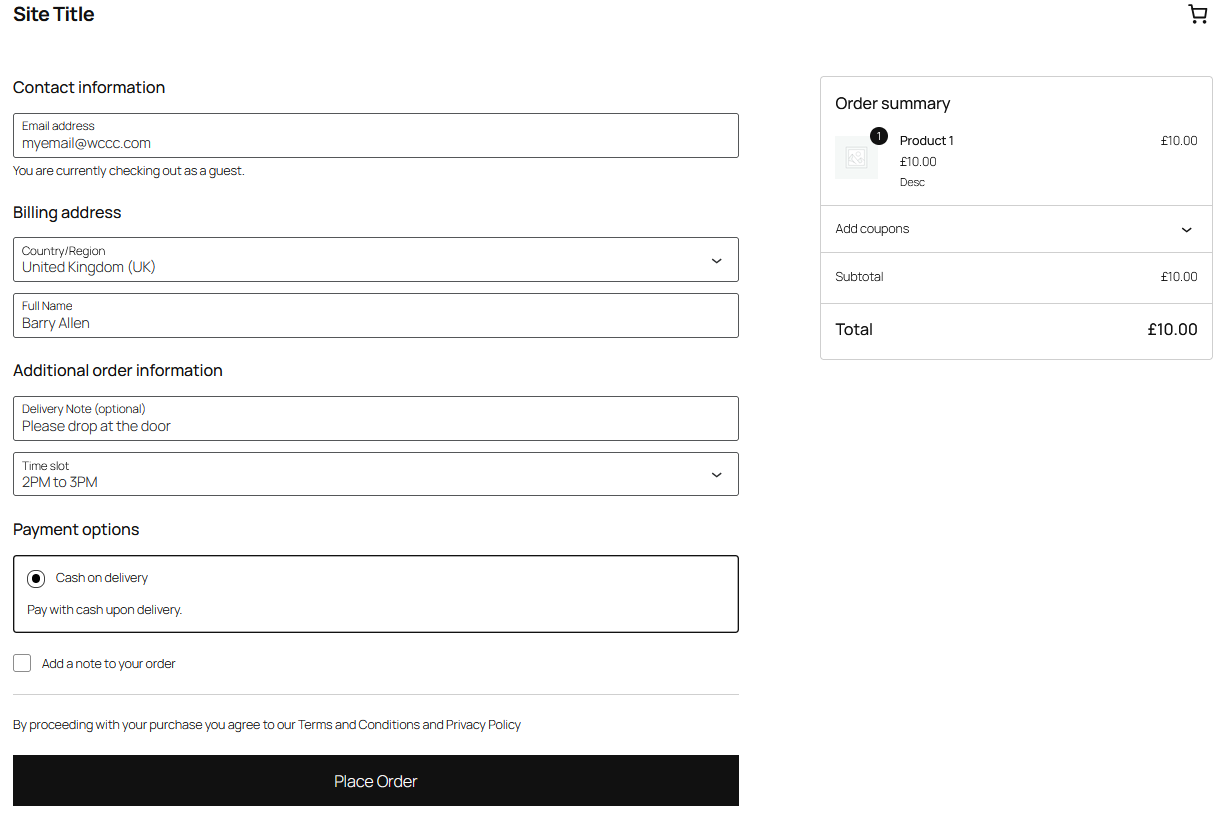
MAKE CHECKOUT FIT YOUR STORE
A delivery instruction. A gift message. A preferred time slot. Collect the details your team needs while keeping supported default fields under your control.
Start with one custom field for free. When you need several, Pro expands the same settings screen — you don’t have to learn a different editor.
Explore what’s includedA FEW WAYS TO USE CUSTOM FIELDS
Free includes one field. Use Pro to collect several details on the same order.
SIMPLE CONTROLS. PRACTICAL FEATURES.
Manage everything under WooCommerce → Clean Checkout.
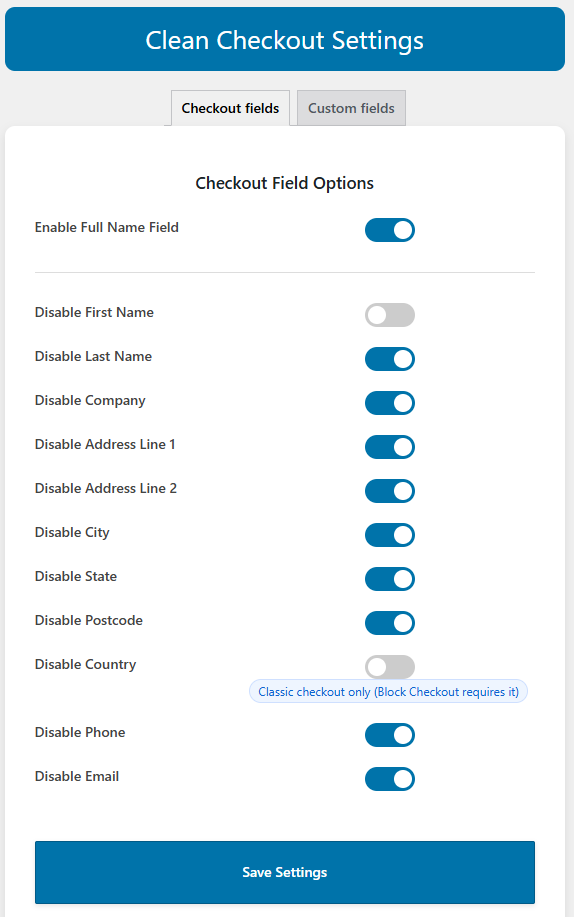
Replace separate First Name and Last Name inputs with a single Full Name field.
Use switches to control supported default checkout fields. Settings identify options limited to Classic Checkout.
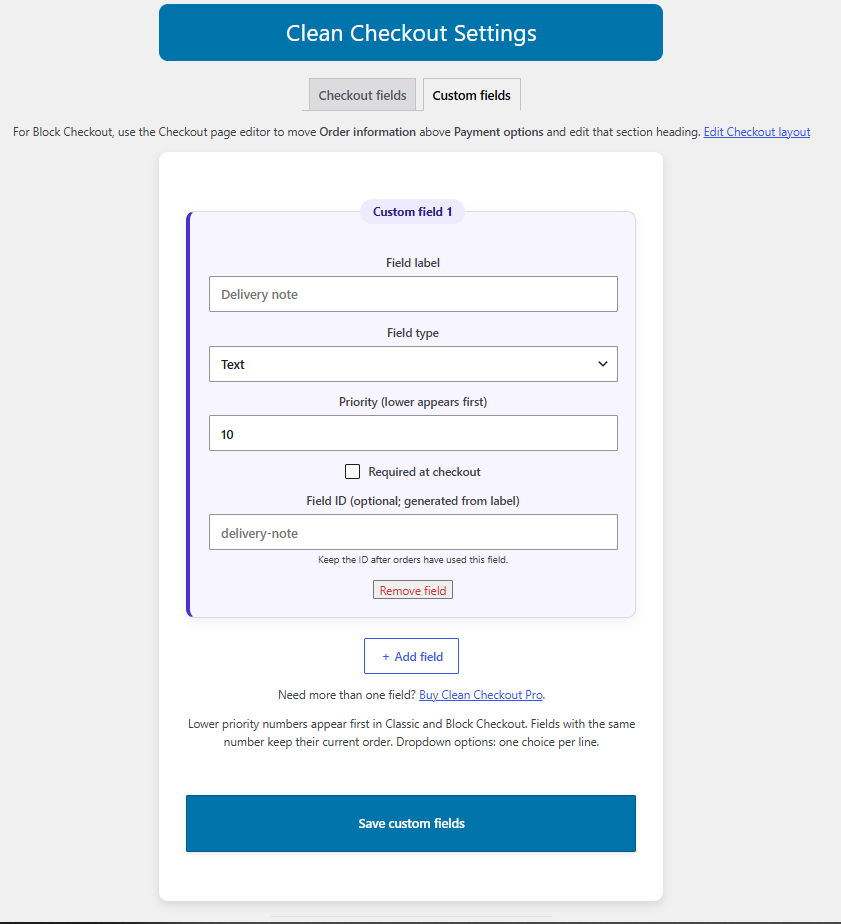
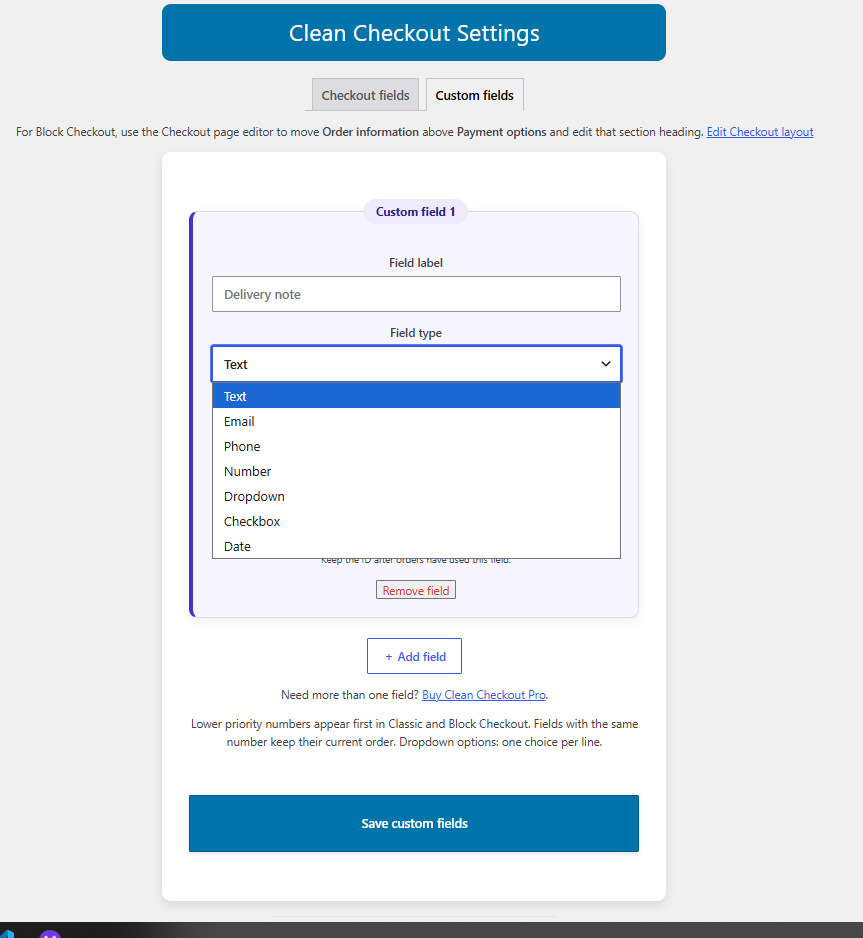
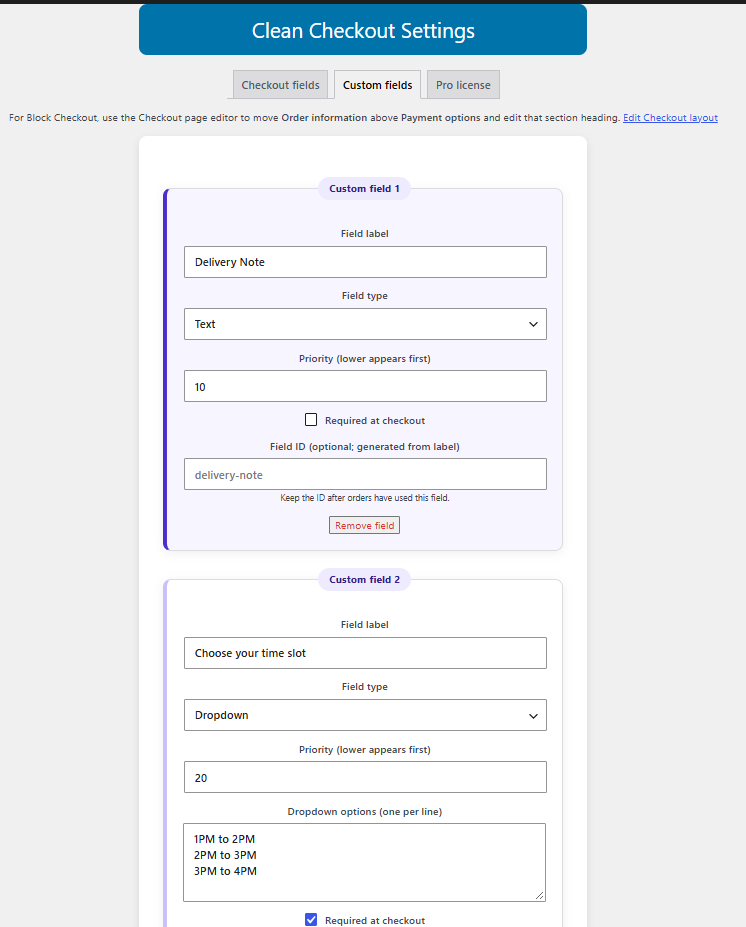
Choose text, email, phone, number, dropdown, checkbox, or date. One field is included in Free.
Set the label, make a field required when needed, and use priority numbers to arrange your custom fields.
Read submitted custom-field values in WooCommerce order details and order emails.
Collect multiple details on one website with the Pro add-on, using the same Custom fields tab.
About Checkout Blocks: Country and Email remain required by WooCommerce. Email, phone, number, and date custom fields use text inputs with format validation when submitted. Dates use YYYY-MM-DD. WooCommerce 10.2 or newer is recommended for Block custom fields.
The same checkout controls and field types. More custom fields when you need them.
| Feature | Free | Free + Pro |
|---|---|---|
| Custom checkout fields | 1 field | Up to 50 fields |
| Classic Checkout & Checkout Blocks | ✓ Included | ✓ Included |
| Single Full Name field | ✓ Included | ✓ Included |
| Hide supported default fields | ✓ Included | ✓ Included |
| All seven custom-field types | ✓ Included | ✓ Included |
| Required settings & priority ordering | ✓ Included | ✓ Included |
| Custom values in orders & emails | ✓ Included | ✓ Included |
| Support | WordPress.org forum | 1 year of product support |
| Updates | WordPress.org updates | 1 year of new Pro versions; download and install manually |
| Price | Free | US$19 · one website |
Pro requires the Free plugin. Checkout Blocks restrictions apply to both editions.
REAL PLUGIN. REAL SCREENS.
Click any screenshot to open the full image.
START FREE. EXPAND WHEN YOU NEED TO.
Keep the controls you already use. Add Pro when one custom field isn’t enough.
THE FREE PLUGIN
Simplify checkout and collect one extra detail.
US$0Free on WordPress.org
No WPSH account or license needed for Free.
THE PRO ADD-ON
Collect the details that help you fulfil each order.
US$19One-time purchase · one website
Requires the Free plugin. No automatic renewal. Pro updates are downloaded and installed manually.
FROM INSTALL TO CHECKOUT
Activate WooCommerce and Clean Checkout for WooCommerce. Set your default fields and your first custom field.
After confirmed payment, get the Pro ZIP and license from your WPSH account. Install Pro alongside Free and activate the license.
Add your fields under WooCommerce → Clean Checkout → Custom fields. Test your checkout and confirm the values on an order.
BEFORE YOU CHOOSE
A CHECKOUT THAT FITS YOUR STORE
Start with Free, or add Pro for multiple custom fields.
One website · One-time payment · No automatic renewal