If your WordPress site slow, the worst thing you can do is install more plugins.
But that’s exactly what most people do.
And it usually makes things even worse.
As someone who works daily with WordPress users, I see this mistake all the time. A slow website is often caused by very simple issues, not complex ones.
In this guide, I’ll show you 3 simple steps that can dramatically improve your website speed.
Understanding why your WordPress site slow is essential for improving performance.
✅ Step 1: Fix a Slow WordPress Site by Removing Plugins
First, check your installed plugins.
Go to:
Dashboard → Plugins → Installed Plugins
Now ask yourself:
- Are you actually using all of them?
- Are there inactive plugins sitting there?
If yes, remove them.
👉 Even small plugins add load to your website
👉 More plugins = more code = slower performance
What to do:
- Go to “Inactive” plugins
- Select all unused plugins
- Delete them completely
This alone can make a noticeable difference.
🖼️ Step 2: Fix Your Images (And Videos)
This is one of the biggest hidden problems.
Most websites upload:
- Large images
- Uncompressed media
- Heavy videos
And this slows the site immediately.
What you should do:
- Compress images before uploading
- Use tools like TinyPNG (or similar)
- Keep image sizes as small as possible without losing quality
Real Example
I worked on a client website where:
- The homepage had a 75MB video
- That video had to load first
- Result = very slow website
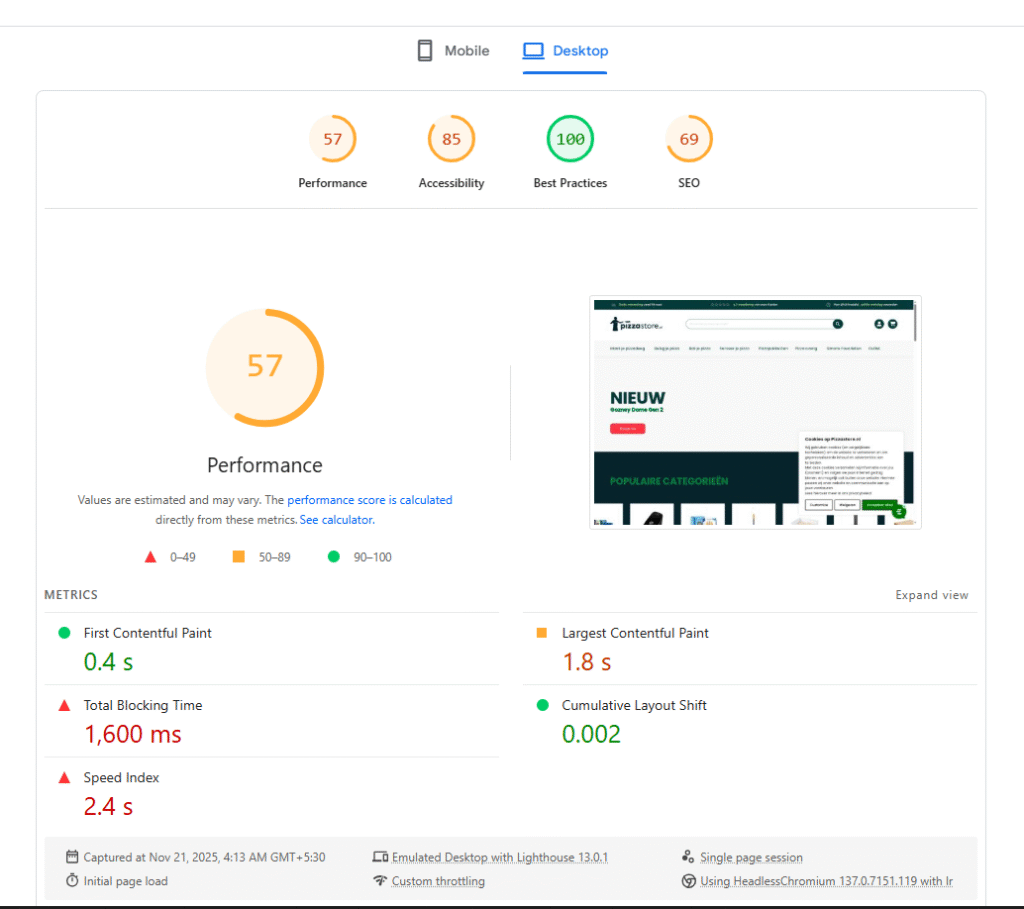
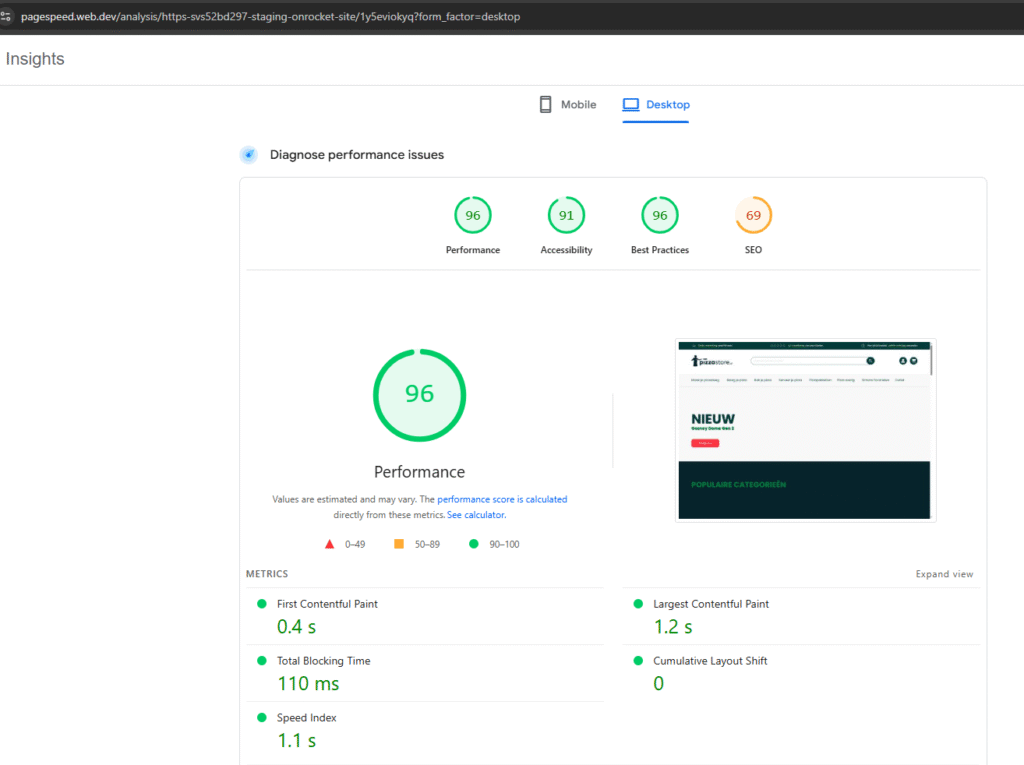
After compressing it to under 7MB, the speed improved massively.
👉 Same design
👉 Same quality
👉 Huge performance improvement
⚡ Step 3: Fix Your Hosting
This is the most important part.
If your hosting is slow, nothing else will fix your website.
Even if you:
- Optimize images
- Remove plugins
- Use caching
👉 Bad hosting will still slow everything down
What to look for:
- WordPress-optimized hosting
- Good server performance
- Reliable infrastructure
Many hosting providers now offer dedicated WordPress plans. Choose one that is built specifically for WordPress.
🎯 Final Thoughts
If you fix these 3 things:
- Remove unnecessary plugins
- Optimize images and videos
- Use good hosting
👉 You will see a big improvement in your site speed
In many cases, this alone is enough to fix a slow website.
❗ Still Slow? I Can Help
If you’ve tried everything and your site is still slow, the issue might be deeper.
That’s where I can help.
👉 I personally fix WordPress performance issues every day
👉 I can quickly identify what’s slowing your site
Send me your website here: https://wordpresssupporthero.com/support-portal/
I’ll take a look and tell you exactly:
- What’s wrong
- What to fix
- How to fix it
🔥 Bonus Tip
There are many other factors that affect speed like:
- CSS/JS optimization
- Database issues
- Theme problems
I’ll cover those in another post.
If your WordPress site is slow, these fixes will help you improve performance quickly
⚠️ Common Mistakes That Make WordPress Sites Slow
Many people try to fix a slow WordPress site the wrong way. Here are some common mistakes you should avoid:
- Installing too many optimization plugins
- Using heavy themes with too many features
- Uploading large images directly from your phone or camera
- Using cheap shared hosting without optimization
- Adding unnecessary animations and effects
Avoiding these mistakes alone can significantly improve your website speed.